We use Meta Pixel to measure visits and successful enquiries and to
improve our advertising. You can accept or reject marketing cookies.
Read our privacy policy.
Fee challans, the counter and the whole year's money
Campus OS runs the money side of an academy on one Windows PC. It bills a month of challans for every class at once, takes payments at the counter against whatever a parent is actually settling, and carries what they did not pay into next month as arrears. A family with more than one child at the school pays for all of them in one receipt, however the money splits across their challans, and every sibling, staff-child or scholarship discount is tracked by what gave it in a Discounts Register, so the office can see exactly what each kind cost. Campus OS prints the challan, the receipt and the statement of account they ask for. The whole school's record is a file on that machine, so the office keeps working whether or not the internet does.
Campus OS is licensed software. Install it and use every feature free for 45 days, no key needed, then talk to us about a licence for your academy. Everything you enter during the trial stays. Current version 1.3.0.
What Campus OS looks like
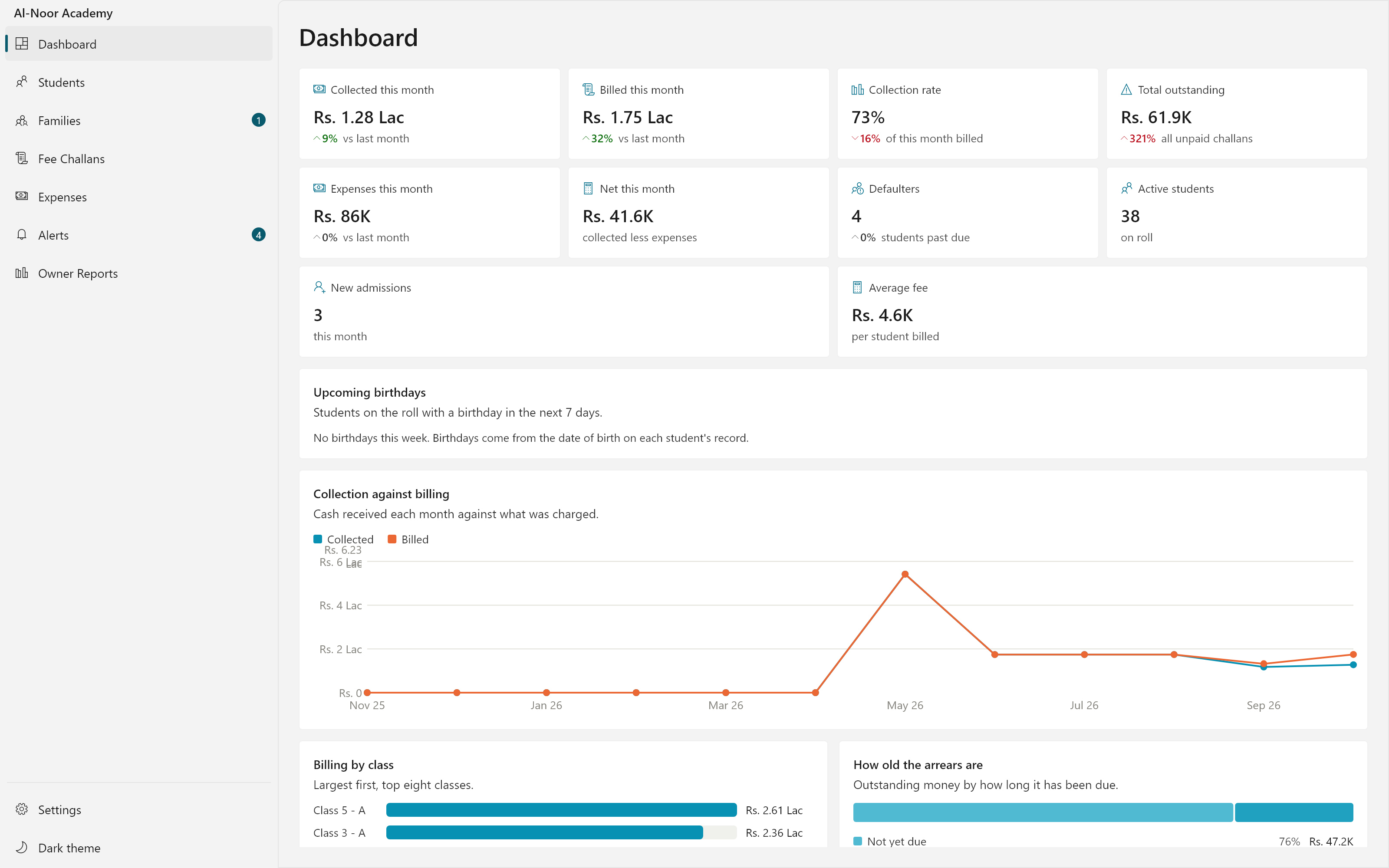
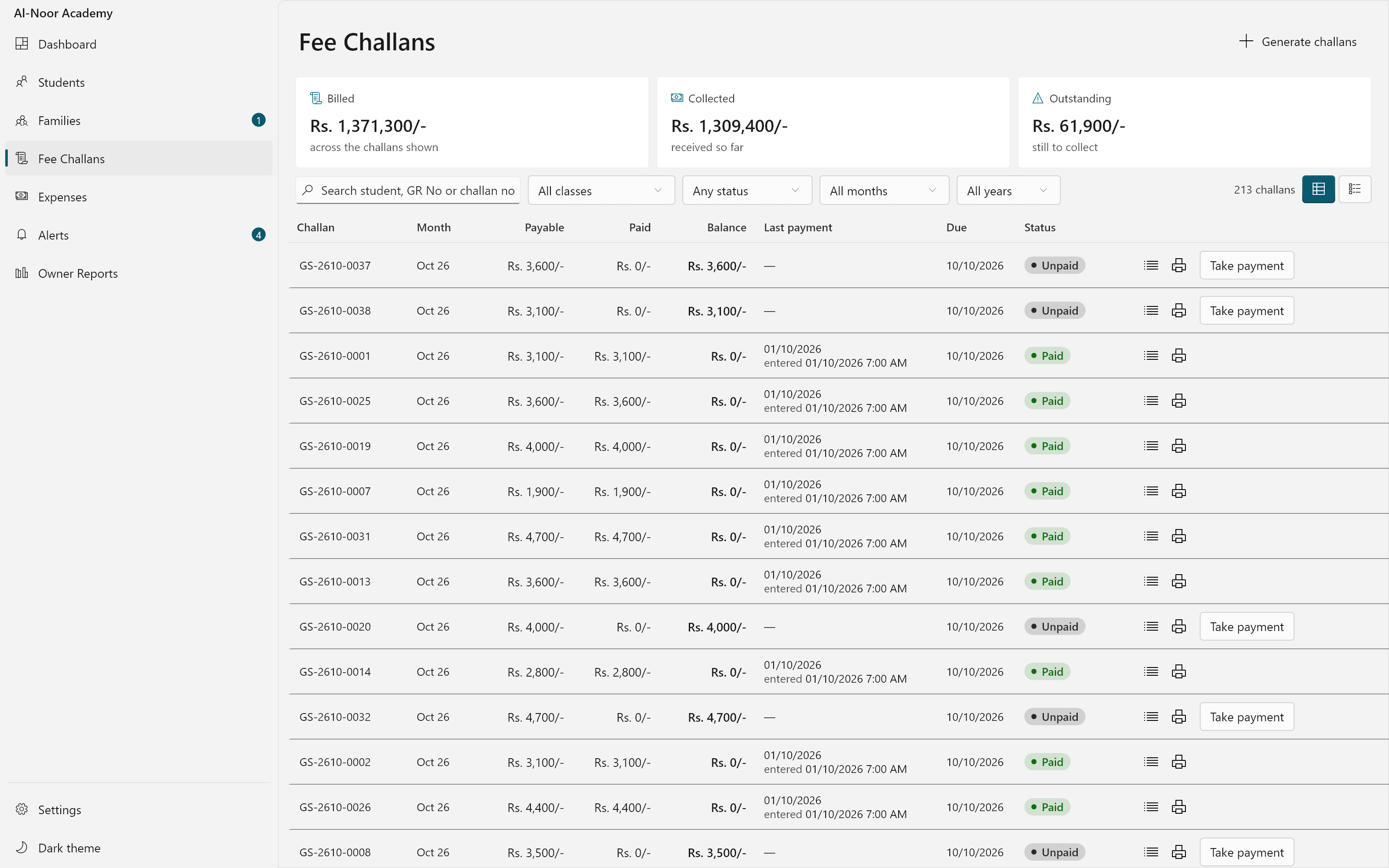
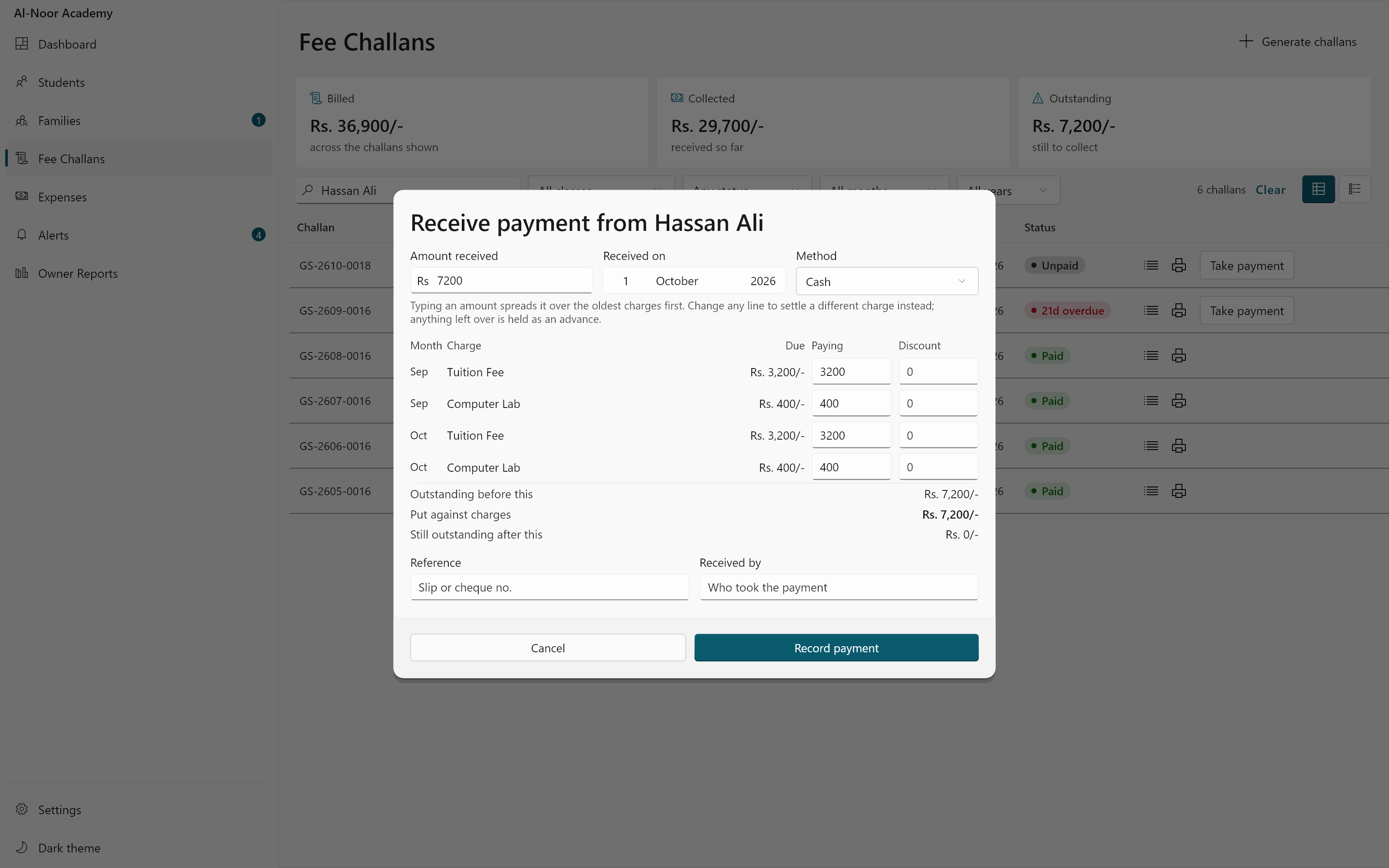
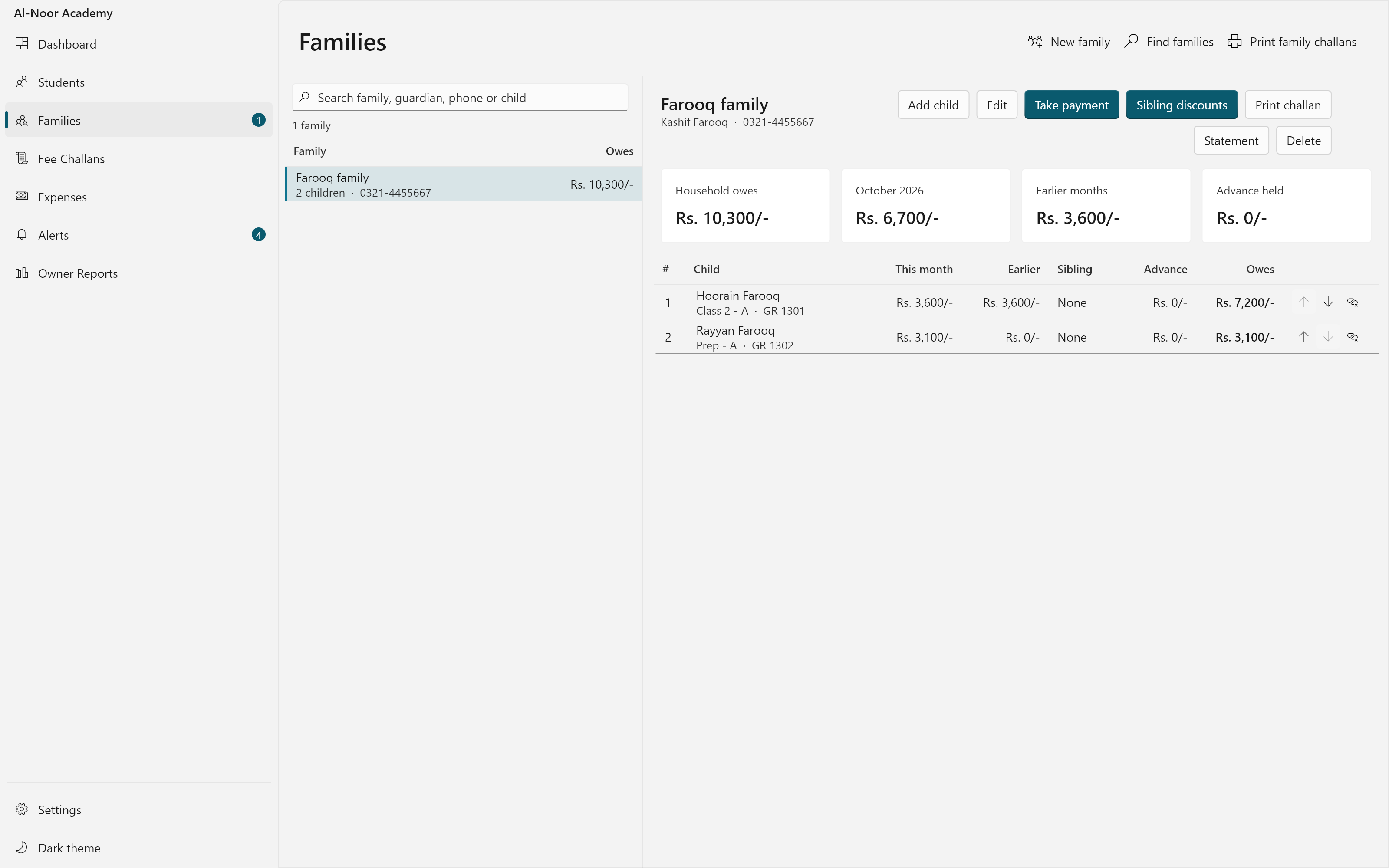
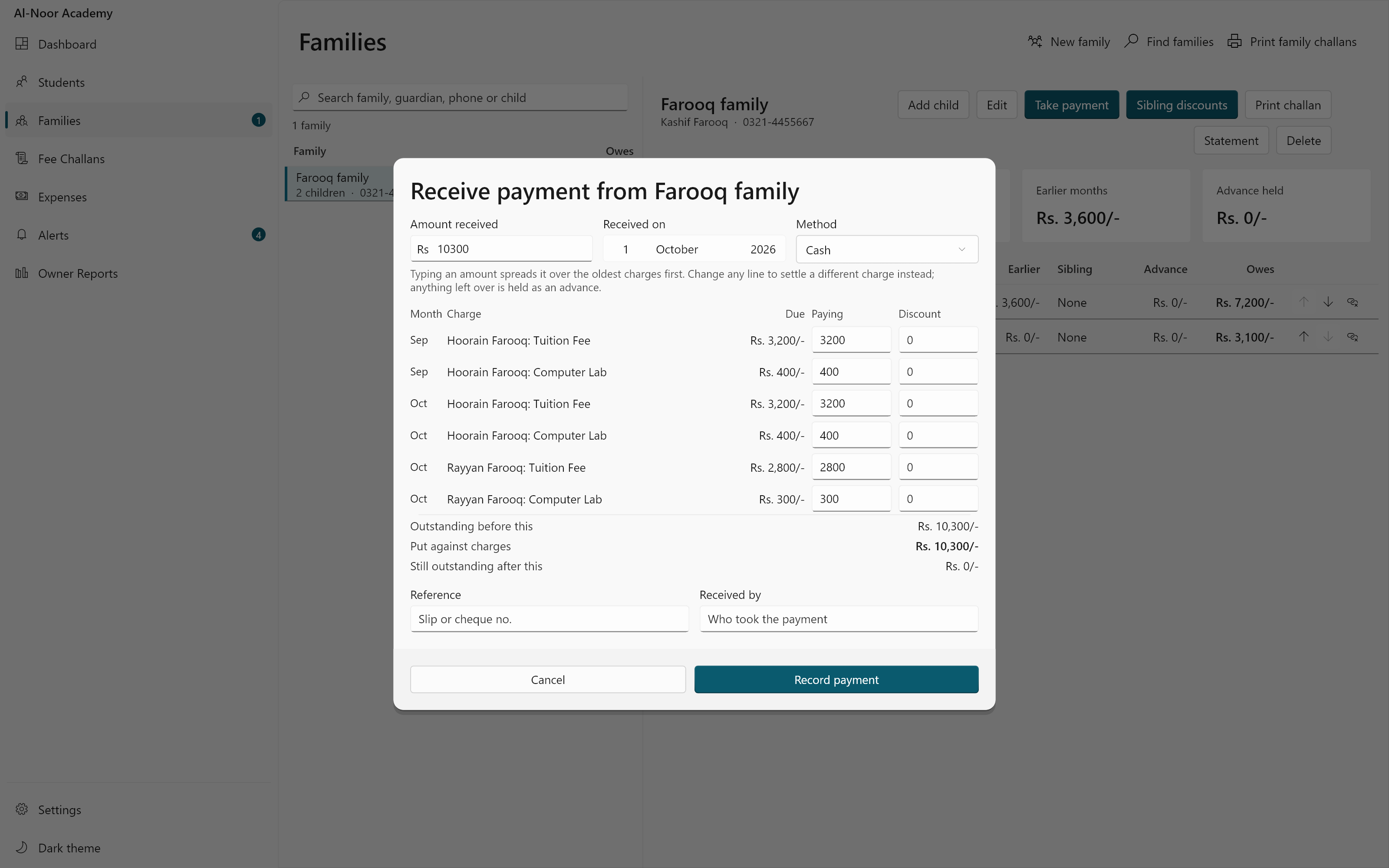
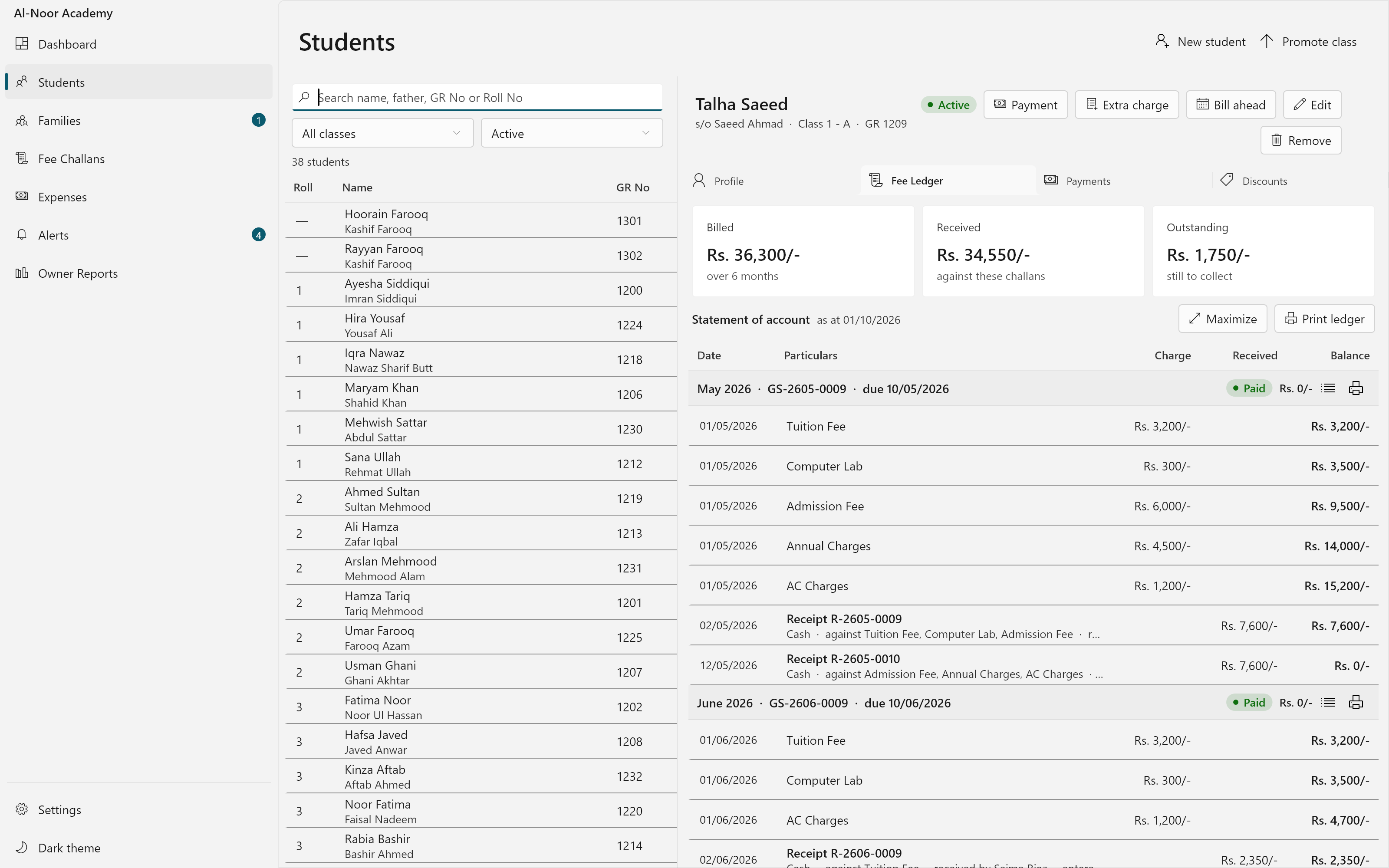
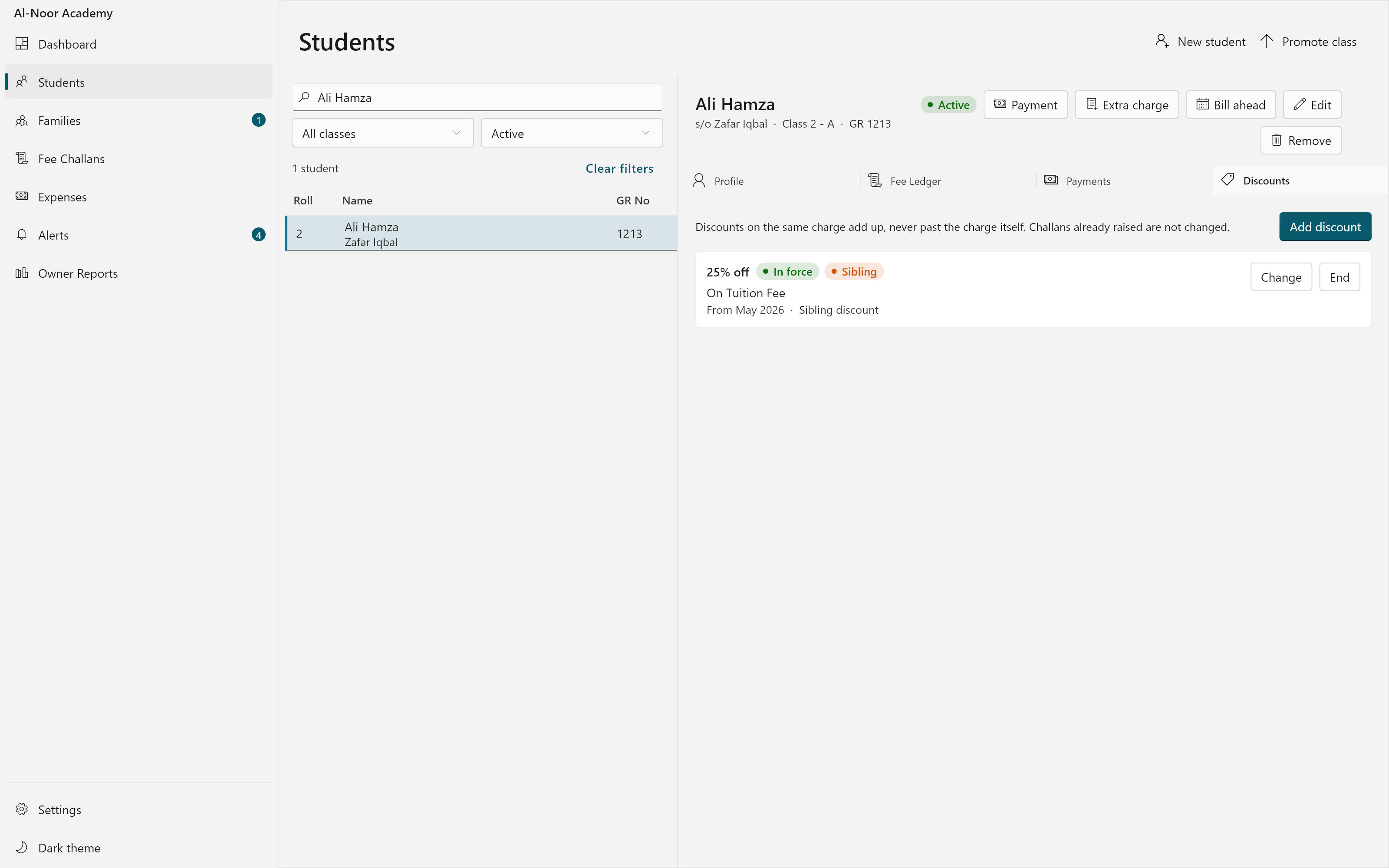
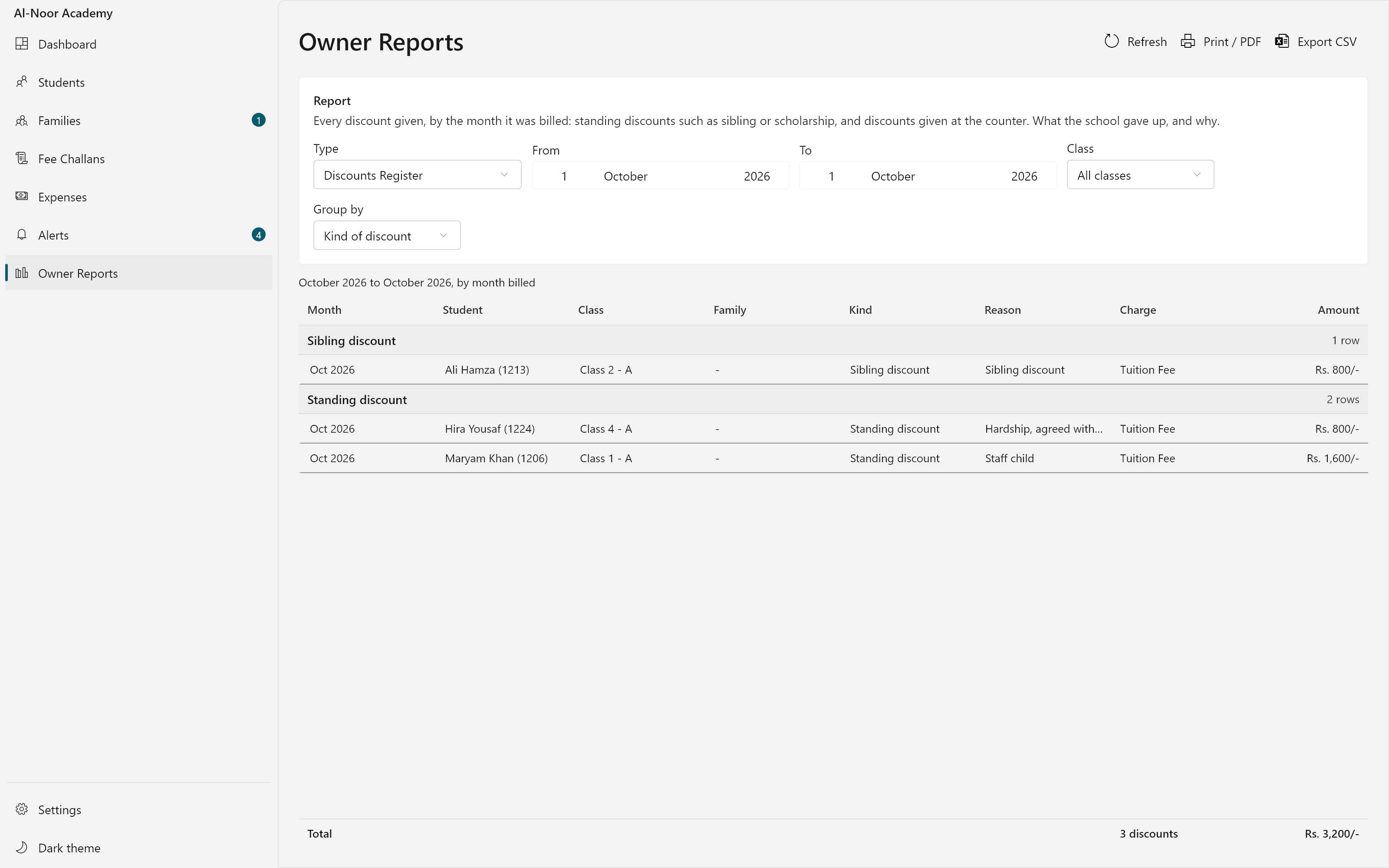
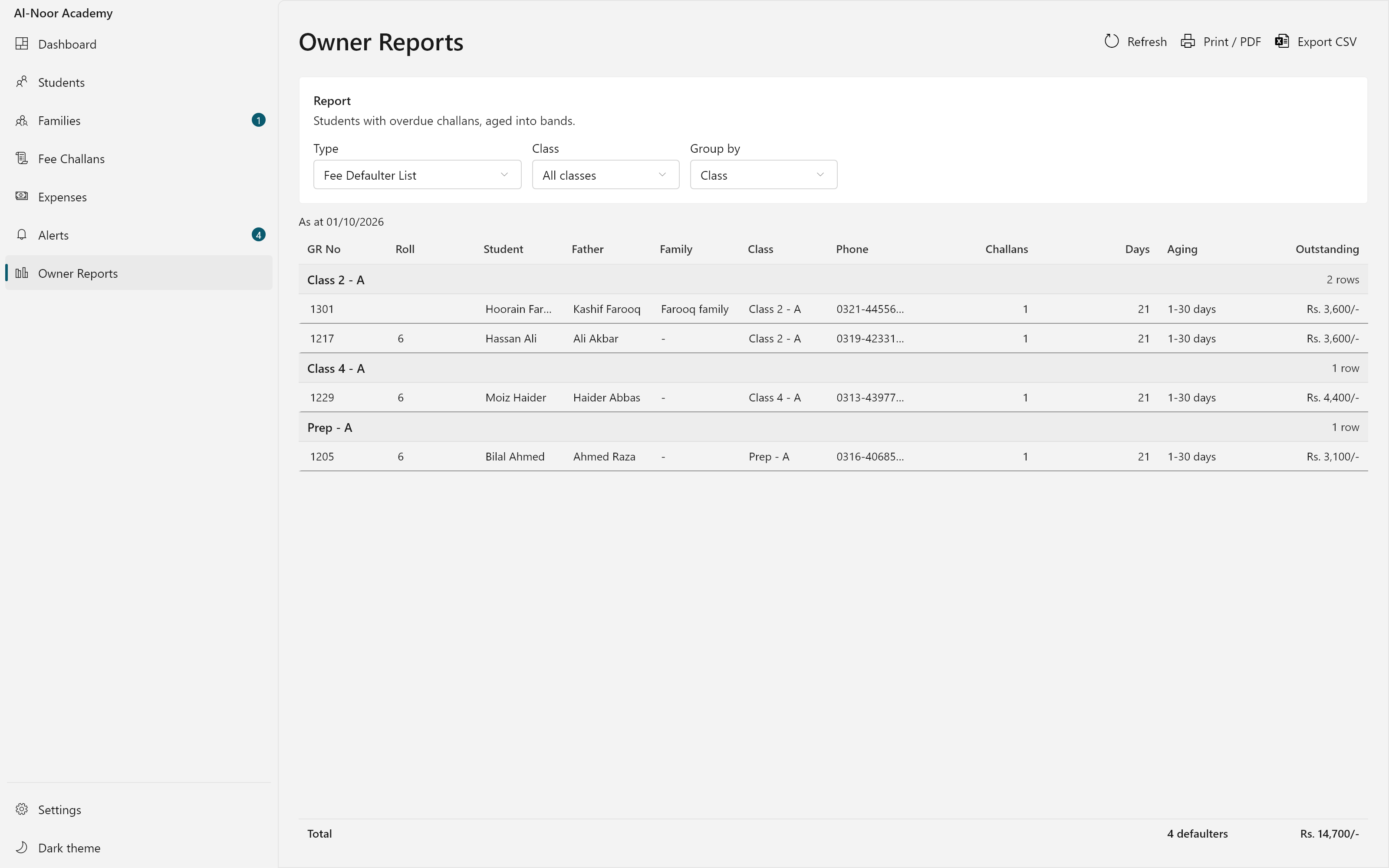
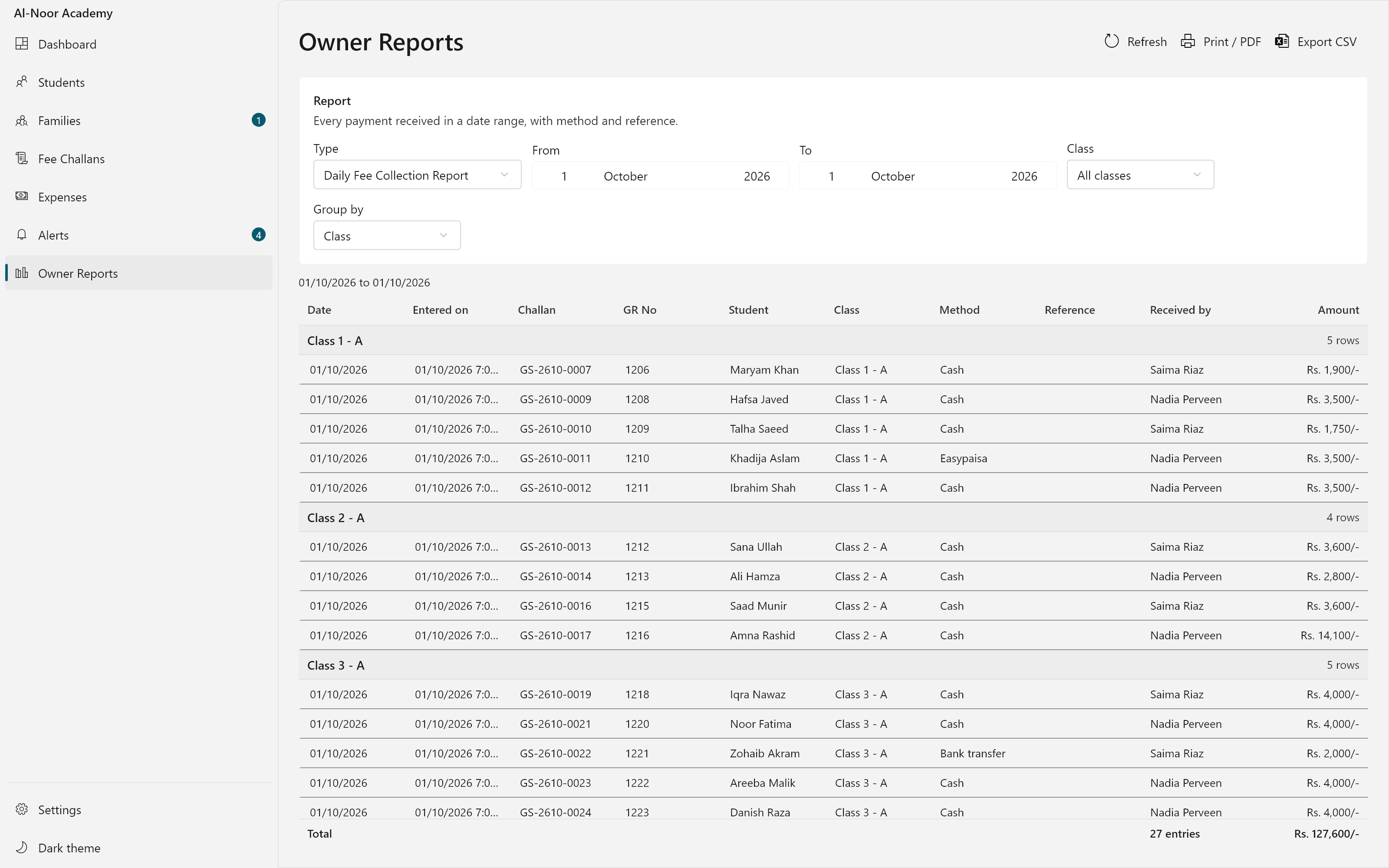
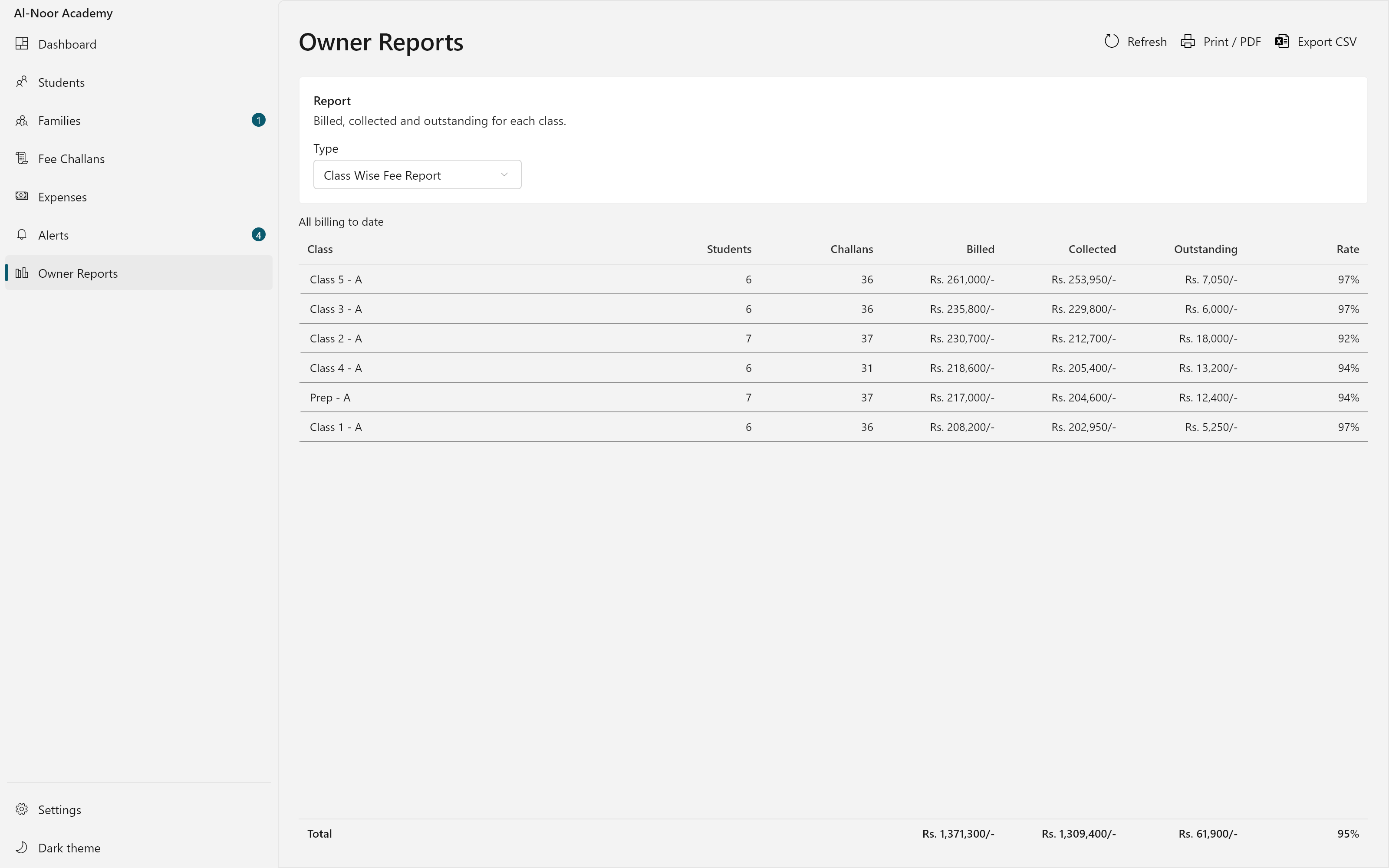
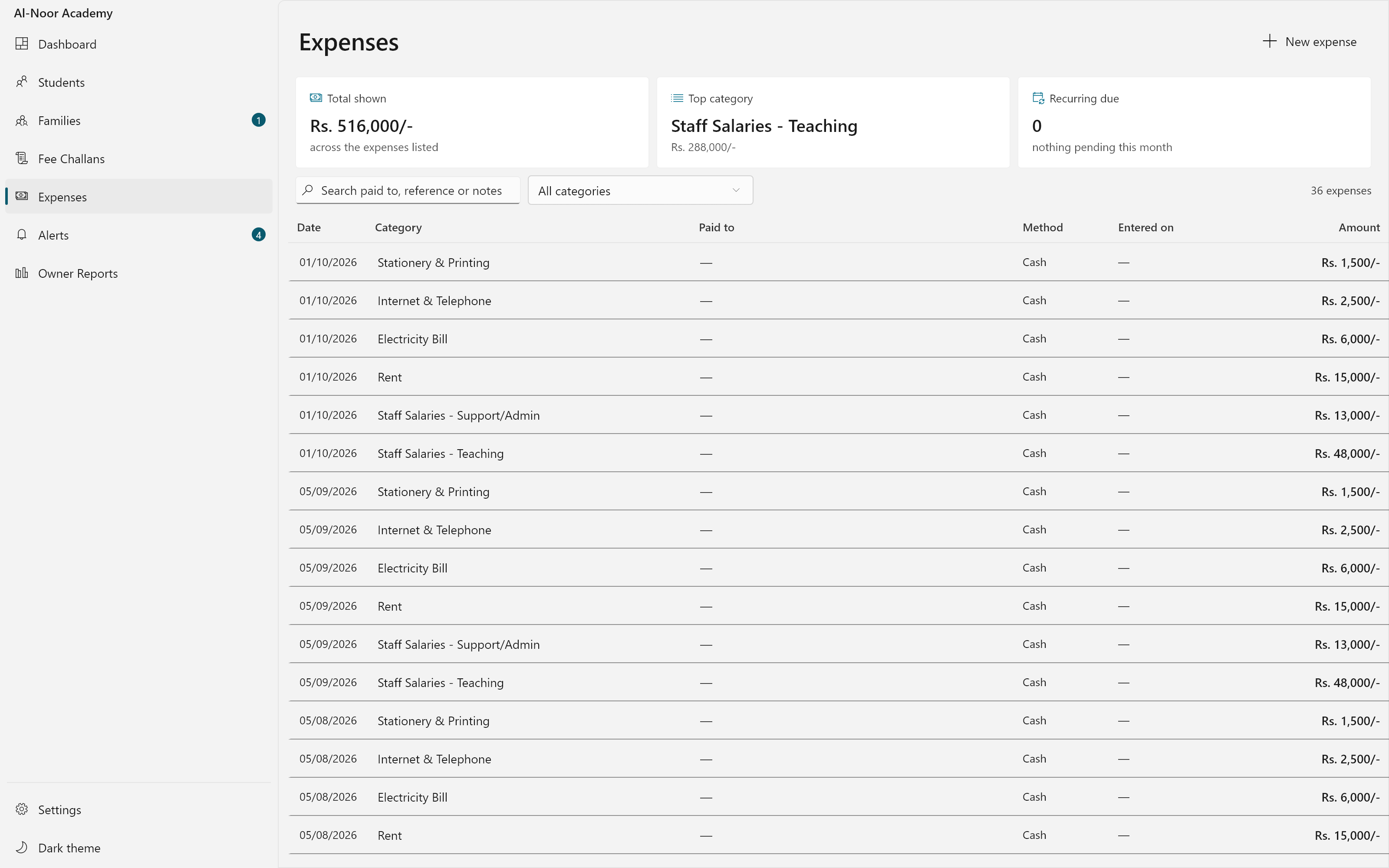
The month as it stands: what came in, what was billed, what is still out and how old it is. Every challan raised, with what has been paid against it and how many days it is overdue. Money is taken against whatever the parent is settling — several months at once, part of a charge, or a discount on one line. Brothers and sisters linked as one household, with what each child owes and what the family owes altogether. One receipt for the whole family — the money settles the oldest charge first, across however many children it covers. Every charge and every receipt for one student, with the balance carried down the page. Every standing discount a child holds, what it comes off and why, kept on its own tab. Every discount given, grouped by what gave it, so the owner can see exactly what the school gave up. The defaulter list, grouped by class and aged into bands, with linked households shown together. Every payment taken at the counter that day, with how it was paid and who took it, ready to check against the cash box. Billed, collected and outstanding for every class side by side, so the owner sees which class is falling behind. The money going out, categorised and totalled the same way the money coming in is.
WhatCampus OS does
From billing a month to the report the owner asks for on the last day of it.
Monthly FeeChallans
Create the fee bill for a whole class, a wing, or the entire school in one step. Every student's discount, extra charges and last month's unpaid amount are added in automatically, and you can check each child's total before anything is billed.
Fast Payments atthe Counter
When a parent pays, one screen shows every charge still owed for that student. Settle several months at once, pay part of a bill, add a discount, or save the extra money for a bill not raised yet. The receipt prints right away.
Complete FeeHistory
Every student has a full statement: each charge, each payment, and the balance after every one of them. When a parent asks what they owe, the office reads the answer off the screen instead of digging through an old register.
One Bill for theWhole Family
A family with more than one child at the school can pay for all of them together. The payment is used on the oldest unpaid charges first, across every child, and one receipt covers the whole family instead of one receipt per child.
DiscountTracking
Sibling discounts, staff discounts and scholarships are all recorded in one place, called the Discounts Register. It shows how much each kind of discount cost the school every month, so nothing is given away without the owner seeing it.
Overdue FeeAlerts
Families who have not paid are listed automatically and grouped by how many days they are late. Each one shows the guardian's phone number next to what they owe, so the office knows exactly who to call.
Reports forSchool Owners
See daily collection totals, fee totals for each class, the list of families behind on payment, and how much the school spent. Any report can be printed as a PDF or sent to Excel in one click.
Works Withoutthe Internet
All of the school's records are kept in one file on the office computer. There is no monthly account to pay for and no internet connection needed, so a power cut never stops the office from collecting fees.
Next Step
Need something built for your own team?
These started as internal tools. If you have a problem that needs software rather than a campaign, we build that too.